
Last Updated: September 2026
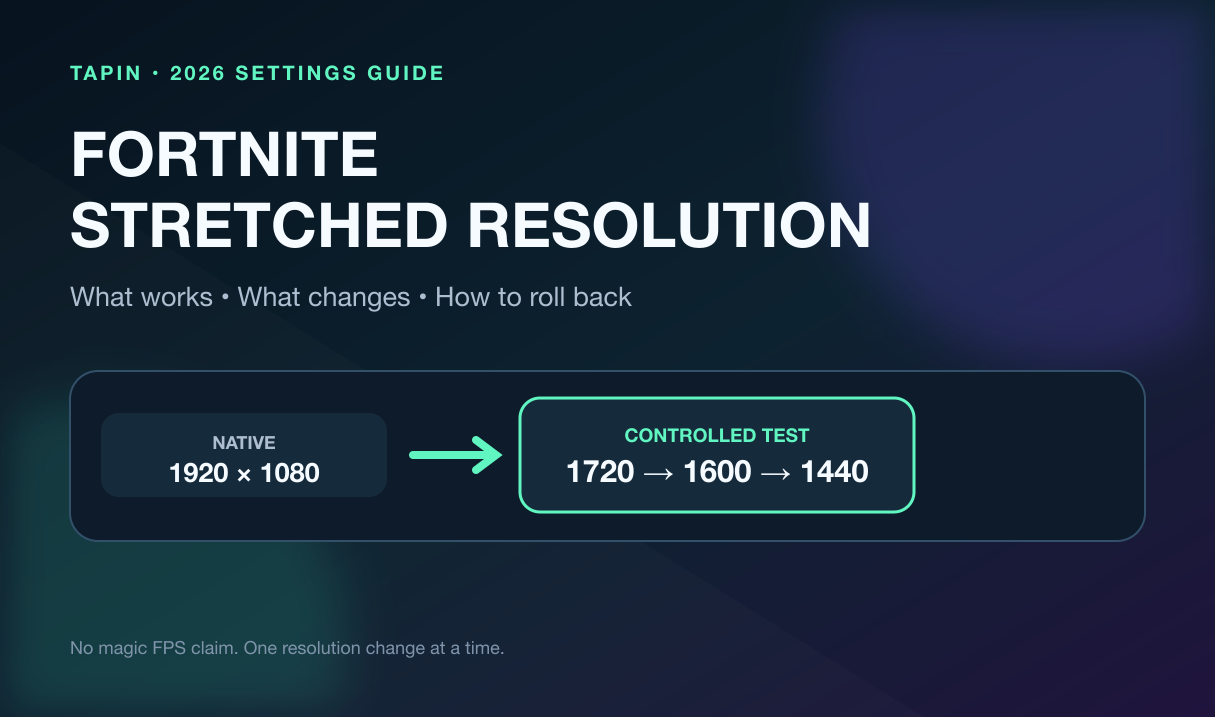
Fortnite stretched resolution still works on PC in 2026, but it is not the old “free FOV” trick people remember. You can render at a narrower width, stretch that image across a 16:9 monitor, and make character models look wider. You also give up horizontal view and image clarity.
This guide was checked on Fortnite v42.20, Chapter 7 Season 4{:target="_blank"}, released September 17. The setup below uses your GPU driver's normal display controls—no registry edits, mystery utilities, or promises that one resolution will magically fix your aim.
⚡ Quick answer: Start at native 1920×1080. Test 1720×1080 first, then 1600×1080 only if the mild stretch helps. Keep the same refresh rate, sensitivity, render mode, and practice route. Fortnite tournaments automatically use 16:9, so prepare for that switch.
Table of Contents
- What Fortnite stretched resolution changes
- Which resolution to test first
- Safe NVIDIA and AMD setup
- Tournament and ban answer
- Three-run comparison test
- Rollback and troubleshooting
- FAQ
What Fortnite Stretched Resolution Actually Changes
A stretched setup renders fewer horizontal pixels, then scales the image to fill your monitor. On a 1080p display, native 1920×1080 renders 2,073,600 pixels. Dropping to 1600×1080 renders 1,728,000 pixels, about 17% fewer.
That can reduce GPU work if your graphics card is the bottleneck. It does not guarantee 17% more FPS. A CPU-bound system may barely move, and a bad custom mode can introduce scaling blur or the wrong refresh rate.
The stretched image also makes everything wider on screen, including opponents. Their hitboxes do not get bigger. You are seeing the same game geometry through a horizontally expanded picture.
The cost is peripheral information. A narrower aspect ratio can show less at the left and right edges, which matters during rotates, box fights, and third-party pressure.
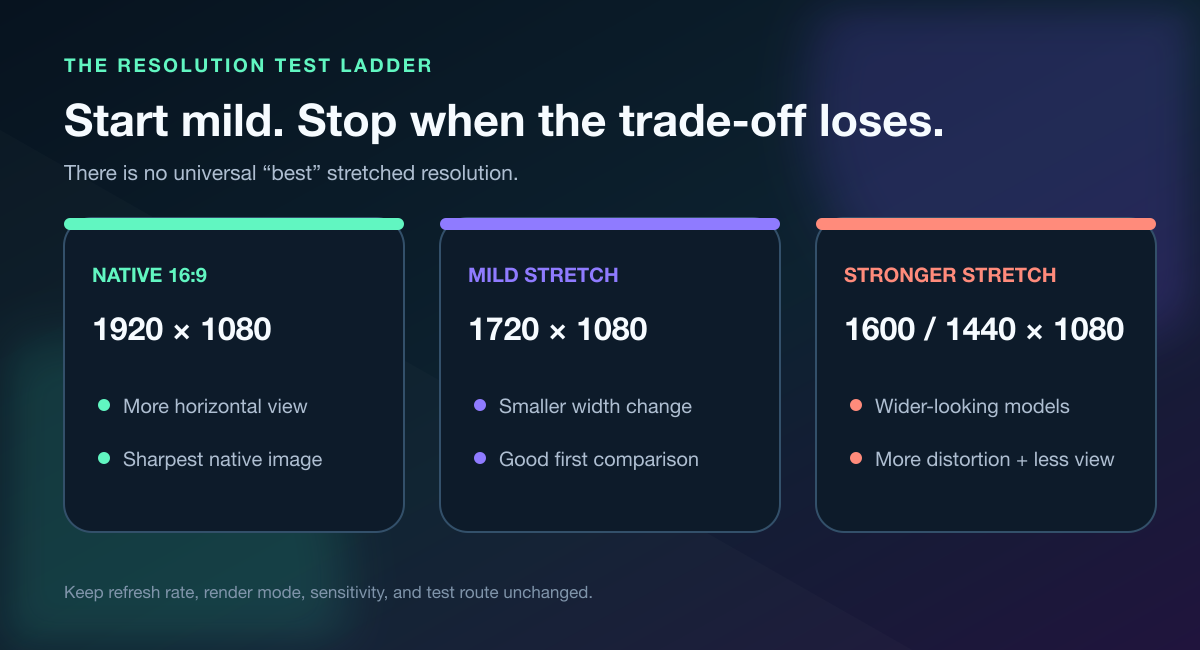
Bigger-looking targets are useful only if the lost side vision and softer image do not create new misses.
⚠️ Watch out: “Lower resolution” and “stretched resolution” are not identical. A lower 16:9 mode such as 1600×900 reduces pixels without changing the aspect ratio. A 1600×1080 mode changes the aspect ratio and then relies on scaling to fill the panel.
Best Stretched Resolution for Fortnite: Start Mild
There is no universal best stretched resolution for Fortnite. Your monitor, GPU, refresh target, playstyle, and tolerance for distortion decide the answer.
Use this test ladder instead of copying the most aggressive number from a pro profile:
| Test mode | Rendered pixels | What to expect |
|---|---|---|
| 1920×1080 | 2,073,600 | Native clarity and widest 16:9 view |
| 1720×1080 | 1,857,600 | Mild stretch; sensible first comparison |
| 1600×1080 | 1,728,000 | Stronger width change and softer image |
| 1440×1080 | 1,555,200 | Aggressive 4:3 render; biggest compromise |
Start at 1720×1080 for three identical runs. Move to 1600×1080 only if you can name a measurable improvement, not because the lobby looks faster.
I believe 1440×1080 should be a last test, not the default. The picture changes enough that a quick “this feels cracked” reaction can hide peripheral misses and menu problems.
A teammate makes this test much cleaner. Have them repeat the same center peek, then attack once from each side; you will learn fast whether wider-looking targets help more than the reduced peripheral view hurts.
How to Set Fortnite Stretched Resolution Safely
Before changing anything, screenshot your current Windows resolution, refresh rate, Fortnite Window Mode, and Fortnite resolution. If the custom signal fails, those four values are your rollback map.
These instructions are for Windows PCs. Console display modes are limited to the resolutions and aspect ratios exposed by the console and display.
Step 1: Create the Display Mode in Your GPU Driver
For NVIDIA, open NVIDIA Control Panel → Change resolution → Customize → Create Custom Resolution. Enter the test width, keep the monitor's native height, preserve your known-good refresh rate, and run the driver's test.
Then open Adjust desktop size and position. NVIDIA's official scaling guide{:target="_blank"} explains the choice: Full-screen stretches the lower-resolution image to fill the display, while Aspect ratio keeps its proportions and may add black bars.
For AMD, open AMD Software: Adrenalin Edition → Display → Custom Resolutions and create the mode for the correct monitor. AMD's custom-resolution documentation{:target="_blank"} warns that display capabilities differ, so stop if the monitor rejects the test.
Enable GPU Scaling and choose Full panel. AMD's official GPU-scaling guide{:target="_blank"} defines Full panel as expanding a non-native resolution to the entire display.
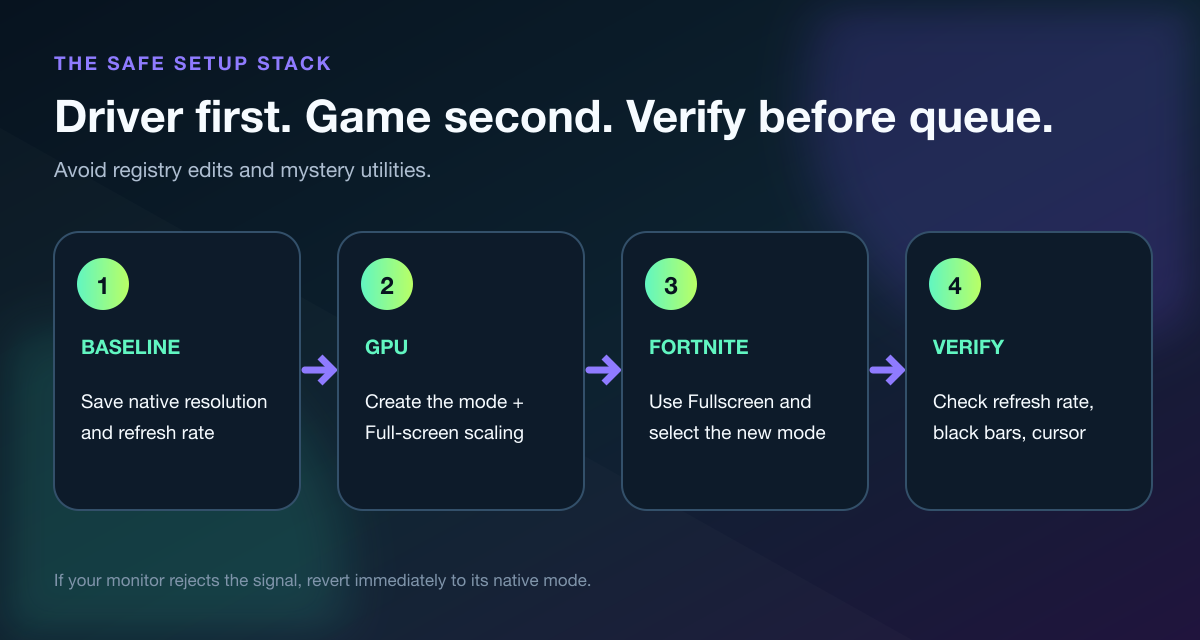
Create the mode in the driver first. Fortnite can only select a resolution that the display stack exposes.
Step 2: Select Fullscreen in Fortnite
Launch Fortnite and open Settings → Video → Window Mode → Fullscreen. Epic's fullscreen support article{:target="_blank"} confirms the current menu path and the available Fullscreen, Windowed Fullscreen, and Windowed modes.
Select the new resolution and apply it. Windowed Fullscreen usually follows the desktop compositor, so exclusive Fullscreen is the cleaner test for GPU scaling.
If the custom mode does not appear, update the GPU driver first. Epic's missing-resolution support page{:target="_blank"} also suggests reconnecting the display cable when applicable.
Do not jump straight to editing GameUserSettings.ini or locking files as read-only. Those workarounds can stop Fortnite from saving unrelated video changes, and they turn a reversible display test into config-file cleanup.
Step 3: Verify Before You Queue
Check these five things in the lobby and a private Creative session:
- The monitor still reports the intended refresh rate.
- The picture fills the panel without unexpected black bars.
- The mouse cursor lines up with buttons and inventory slots.
- The HUD is readable and not clipped.
- Alt-tab behavior is stable enough for your normal setup.
If any one fails, go back to native before playing ranked. A wider-looking opponent is not worth a 60 Hz fallback or a cursor that misses inventory slots.
Is Stretched Resolution Allowed in Fortnite?
Epic's current support page says Fortnite Competitive events default to 16:9{:target="_blank"}. If you normally use another aspect ratio, Fortnite automatically adjusts it for the tournament; Epic says regular playlists are unaffected by that tournament behavior.
That is the practical answer. A custom display mode is not a way around tournament presentation rules, and you should expect 16:9 when an event starts.
Train at least one session per week on native if you enter cups. Your side vision, target shape, and crosshair feel will change when the event forces 16:9, and discovering that in game one is brutal.
⚡ Tournament rule: Treat native 16:9 as part of your competition setup. Never assume a stretched profile will carry into an event just because it worked in Creative or Ranked.
Test Stretched Res Without Fooling Yourself
One high FPS number proves almost nothing. Use a three-run A/B test on native, then repeat the same three runs on the stretched mode.
Keep the render mode, frame cap, graphics quality, sensitivity, map, route, and warm-up identical. Record:
- Average and 1% low FPS from the same route
- Visible frame-time hitches, not just the peak counter
- Peripheral misses when threats enter from the sides
- Aim corrections after the first crosshair movement
- UI mistakes in inventory, map, and menus
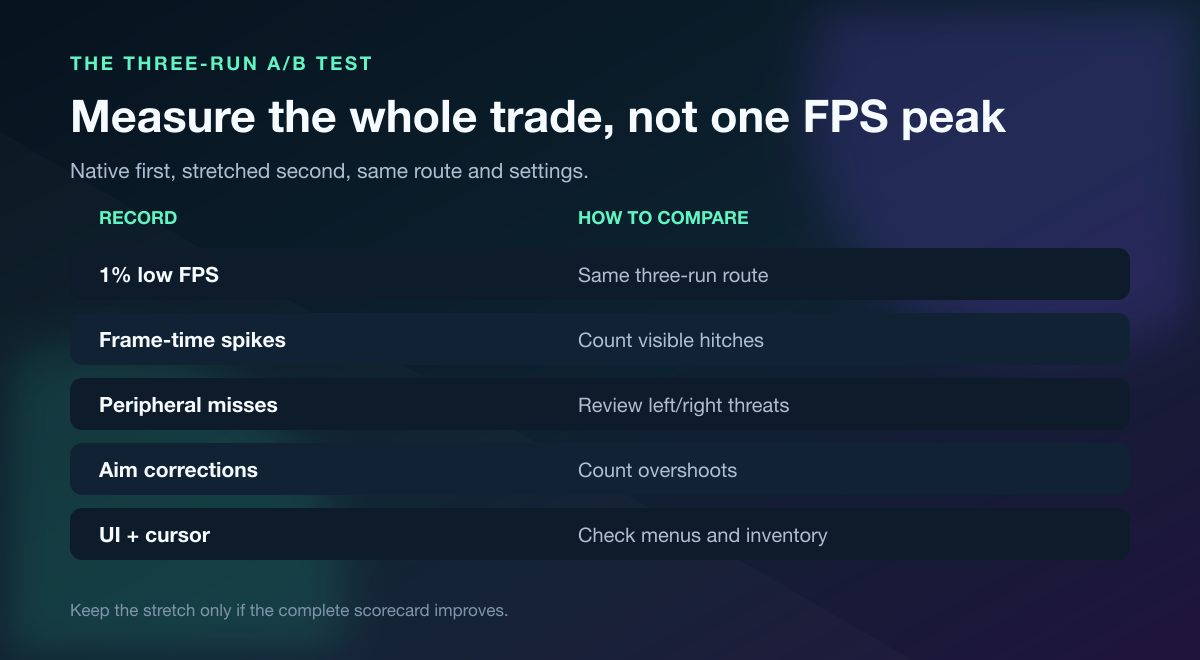
Native first, stretched second, same route. Keep the new mode only if the complete scorecard improves.
Use our 20-minute Fortnite aim training routine for the repeatable aim block. If you play controller, lock your stick settings with the Fortnite controller calibration guide before comparing resolutions.
Do not change sensitivity during the resolution test. Models may look wider, but your input did not become wrong overnight. Give your eyes a few runs before touching another variable.
Use a Teammate to Catch What the FPS Counter Misses
A teammate can repeat the same peek from the same distance, then attack from your peripheral side. That exposes the full trade: target visibility in front of you versus awareness at the edges.
Run five fights at native and five stretched. Ask your partner to record only the first failure—late target pickup, overshoot, lost side threat, or visual clutter.
If your regular duo is offline, practice Fortnite settings with a teammate or coach on Tapin. Bring both scorecards and ask for one verdict: which setup creates fewer first mistakes?
How to Go Back to Native Resolution
Rollback should take two minutes:
- In Fortnite, select 1920×1080 and Fullscreen, then apply.
- In the GPU panel, restore Aspect ratio or your previous scaling default.
- In Windows, confirm the display's native resolution and correct refresh rate.
- Remove the custom resolution only if you no longer want it listed.
- Restart Fortnite and verify the lobby, inventory, and one Creative match.
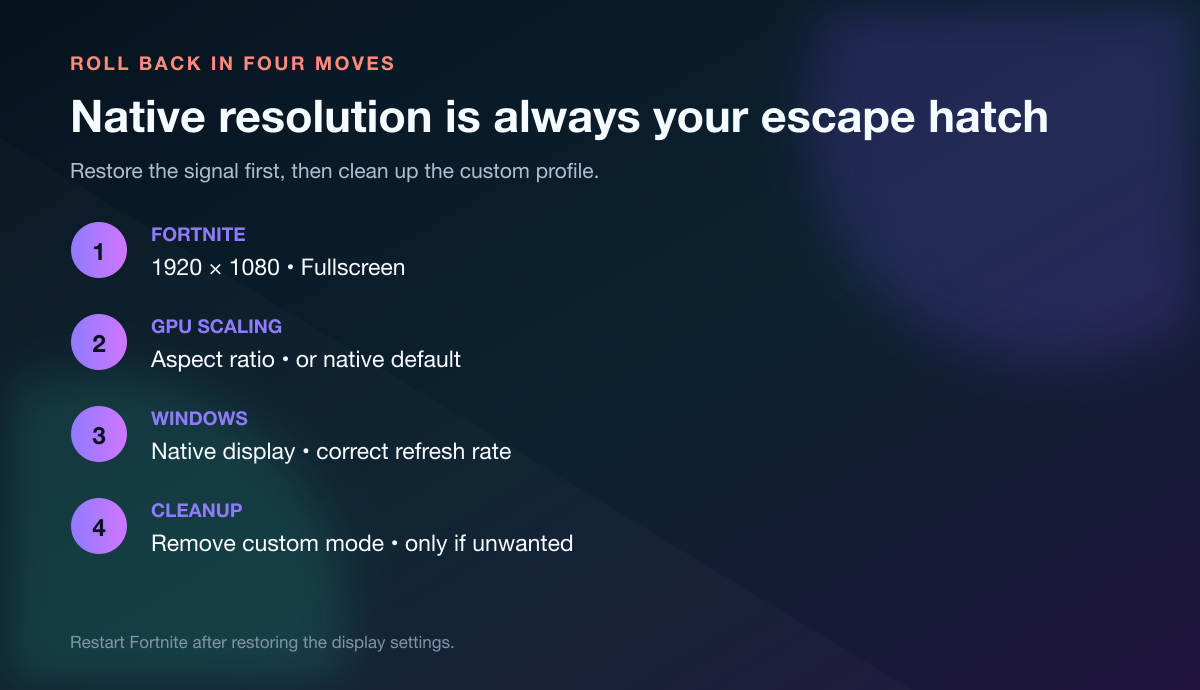
Restore the working signal first. Delete the custom profile only after native is stable.
Black Bars, Wrong Refresh Rate, or Misaligned Cursor
Black bars: Confirm the GPU scaling mode is Full-screen on NVIDIA or Full panel on AMD. If you prefer the undistorted image, keep Aspect ratio and accept the bars.
Wrong refresh rate: Reopen the custom resolution and match the monitor's supported refresh rate. If the driver or monitor refuses it, delete that mode and return to native.
Misaligned cursor: Epic's support guidance for cursor alignment points back to 1920×1080 16:9 and Fullscreen. Restore native, restart, and do not reuse the failing profile.
Resolution disappears after an update: Recheck the driver profile and Fortnite's Fullscreen setting. Do not make the config file read-only just to fight a reset; rebuild the custom mode or stay native until the cause is clear.
Fortnite Stretched Resolution FAQ
Does stretched resolution give more FPS in Fortnite?
It can when the GPU is limited because the game renders fewer pixels. The gain may be small on a CPU-bound system, so compare average FPS, 1% lows, and visible frame-time spikes on the same route.
Does stretched resolution increase Fortnite hitboxes?
No. The image is scaled wider on your monitor, but the game's hit detection does not grow with it.
What is the best stretched resolution for Fortnite?
Start with 1720×1080 as a mild comparison, then test 1600×1080 only if the full scorecard improves. Native 1920×1080 remains the right choice when clarity and side vision beat the wider-looking target.
Can I use stretched resolution in Fortnite tournaments?
Epic says Competitive events default to 16:9 and automatically adjust other aspect ratios. Practice native before any cup so the forced presentation does not surprise you.
Can I use Fortnite stretched resolution on console?
This guide's custom-resolution workflow is PC-only because it depends on NVIDIA or AMD display controls. Consoles expose supported TV and monitor output modes instead of desktop GPU-driver profiles.
Keep the Setting You Can Prove
Fortnite stretched resolution is a trade, not a cheat code. Test a mild width first, keep every other variable fixed, and judge the whole session—FPS lows, peripheral misses, aim corrections, UI behavior, and tournament compatibility.
If native wins, that is not a failed test. It is one less setting to blame, and you can get back to playing.