
Last Updated: September 2026
A crosshair should disappear from your attention, not from the screen. If you keep losing it against bright walls, covering heads at long range, or rebuilding it after every bad game, the problem is not finding a more famous pro code. The problem is your test.
These Valorant crosshair settings give you a clean static baseline, a map-contrast check, and a four-step calibration loop. The live game is on Patch 13.06, and the crosshair tools covered here—profiles, import codes, custom colors, and spectated-player copying—remain available.
⚡ Quick answer: Start with cyan or another high-contrast color, inner lines on, outer lines off, a small center gap, and movement and firing error off. Test visibility before you judge accuracy. Change one setting at a time, then keep the winner for at least four real matches.
Bring a duo into the test early. Ask them to spectate three gunfights and label the miss: crosshair vanished, target was covered, shot happened before the stop, or placement started off-head. Only the first two call for another settings change.
Table of Contents
- Start with a useful baseline
- Understand every important setting
- Test color across maps
- Import, copy, and save codes
- Run the calibration loop
- Fix the right problem
- FAQ
Start With These Valorant Crosshair Settings
There is no universal best Valorant crosshair. Your resolution, display size, color perception, and visual clutter tolerance all change what stays readable.
Use this as a baseline, not a commandment:
| Setting | Baseline | What to test |
|---|---|---|
| Color | Cyan or another high-contrast color | Visibility on bright, dark, and ability-heavy scenes |
| Outlines | Off; add a thin outline if needed | Whether the line edge stays crisp |
| Center dot | Off | Whether a dot helps center control or covers distant heads |
| Inner lines | On | A short, compact cross with a visible gap |
| Outer lines | Off | Whether extra lines add useful information or just clutter |
| Movement error | Off | Turn on temporarily if you need movement feedback |
| Firing error | Off | Turn on temporarily if you need spray feedback |
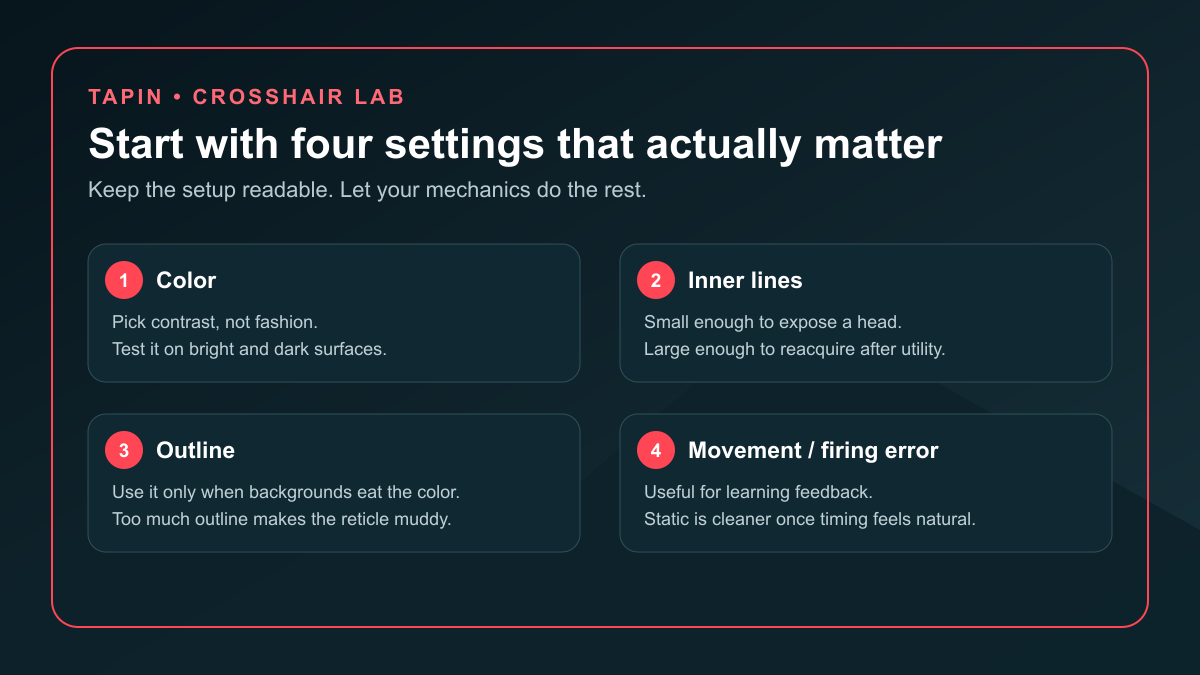
The goal is simple: see the center without hiding the target. Start compact, then change the first setting that produces a repeatable failure.
I believe most players change too much because they grade the crosshair by kills. Kills mix positioning, movement, utility, opponent quality, and timing. Grade the reticle by visibility first.
What Each Valorant Crosshair Setting Actually Does
Color controls contrast, not accuracy
Pick a color that stays separate from common backgrounds and your enemy highlight color. Cyan is a strong first test because it is bright and distinct from the default red enemy outline, but it is not automatically correct for every screen or every form of color vision.
Riot added custom six-digit RGB colors for the Primary, ADS, and Sniper Scope crosshairs. That gives you more room than the preset palette, but more choices do not remove the need to test.
Outlines rescue visibility but add weight
Turn outlines on when a good color still disappears against one lighting extreme. Keep the outline thin and check distant targets—heavy edges can make a small reticle feel muddy.
Do not add an outline because a copied profile had one. Add it because you can name the background where it solves a problem.
Inner lines define the working shape
Inner-line length, thickness, opacity, and offset control the cross you read during rifle fights. A smaller shape exposes more of the target; a larger shape is easier to reacquire after a flash, smoke, movement burst, or chaotic site hit.
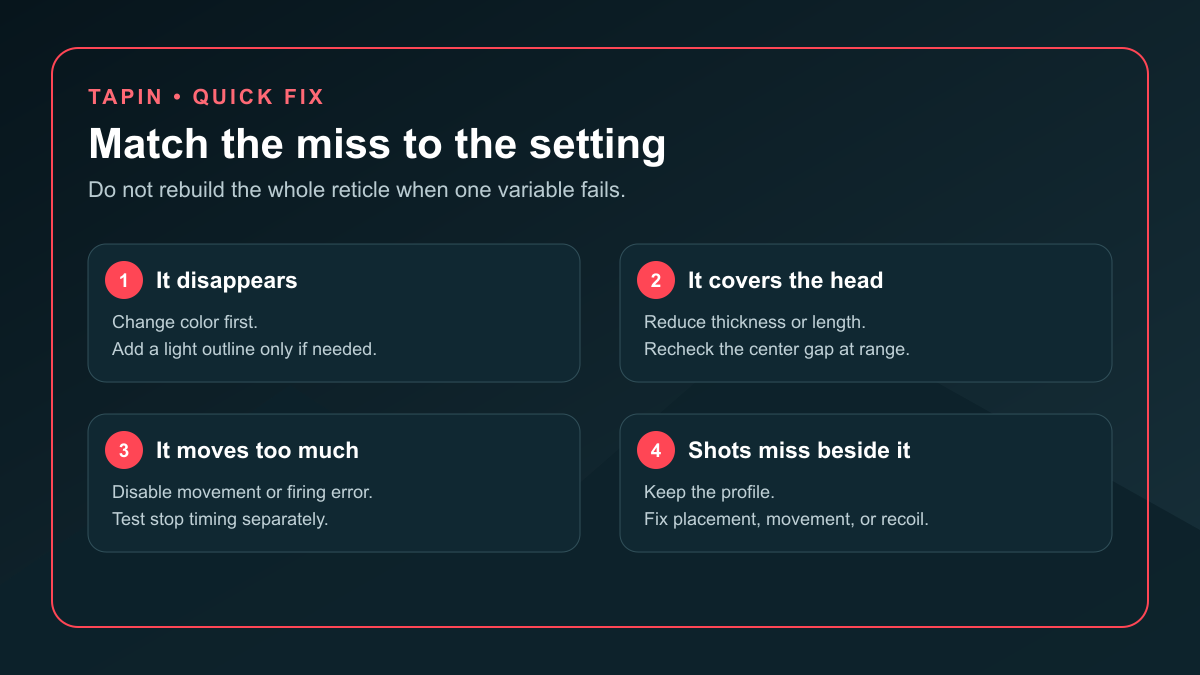
Tune the center gap at long range. If the gap swallows the target, close it. If all four arms merge into the head, open it or reduce thickness.
Outer lines are optional information
Outer lines can reinforce the center or show error feedback, but they also expand the visual footprint. Leave them off for the first baseline. Add them only when you know what information you want back.
Movement and firing error are training tools
Movement error expands the reticle when your movement hurts accuracy. Firing error reacts as weapon accuracy changes during shots.
Those signals can teach stop timing and burst discipline. They can also pull your eyes away from the enemy. Use them for a focused practice block, then compare the same drill with a static crosshair.
Test Valorant Crosshair Color Against Real Backgrounds
The settings preview is not a match. Your crosshair has to survive pale walls, dark corners, smoke edges, flashes, ability effects, and a moving target.
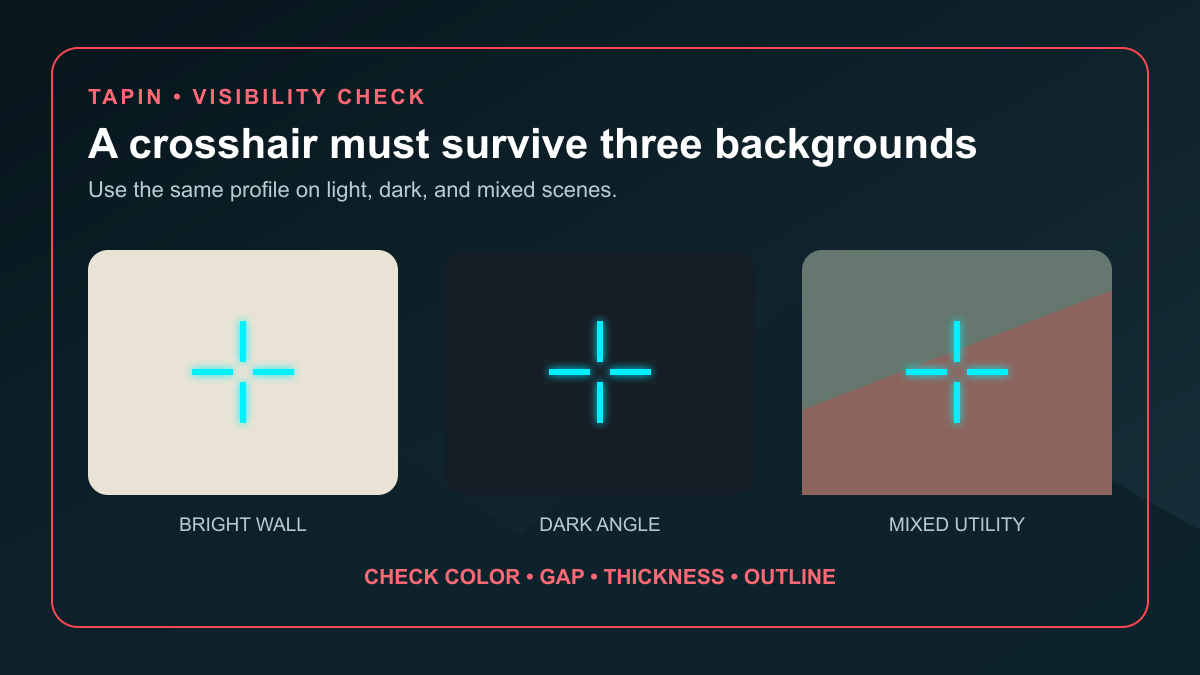
Run this five-minute check:
- Bright angle: Hold the crosshair over the lightest wall or sky-adjacent angle you regularly pre-aim.
- Dark angle: Move to a shadowed doorway or deep corner and check whether the center survives.
- Mixed scene: Strafe across an edge where the background changes behind the reticle.
- Utility scene: Recheck near smoke, a flash recovery, or ability effects.
- Long-range head: Make sure the reticle frames the target instead of covering it.
If the crosshair disappears, change color first. If one color works everywhere except a single extreme, add a light outline. Do not change color, outline, gap, and thickness in the same pass—you will have no idea which fix mattered.
Map rotation matters because your visual test should match the maps you actually queue. Use our current Valorant ranked map pool guide to build a short checklist of real angles instead of judging a reticle on one Range wall.
How to Import, Copy, and Save a Valorant Crosshair Code
Riot's official Patch 4.05 notes document the import and export flow:
- Open Settings → Crosshair.
- Use the up-arrow export icon beside Crosshair Profile to copy your current code.
- Use the down-arrow import icon to paste a code.
- Check the preview, import it, and give the profile a useful name.
Name profiles by purpose, not by mood: cyan-static-rifle, outline-dark-maps, or error-training. A label like new new 3 tells you nothing when you want to roll back.
Riot also supports copying the crosshair of a player you are spectating. Type /crosshair copy or /cc while watching them; the game saves it as a new profile. Riot expanded the profile limit to 15 when it shipped that feature.
⚠️ Watch out: A pro or teammate code imports a complete setup, but it does not import their monitor, resolution, eyes, placement habits, or confidence. Save your baseline before copying anything.
The smartest use of a code is version control. Export before a change, name the new profile, run the same test, and revert without guessing.
Use a Four-Step Crosshair Calibration Loop
The Range tells you whether the shape is readable. Deathmatch tells you whether it survives constant fights. Ranked tells you whether it disappears when utility, pressure, and comms all hit at once.
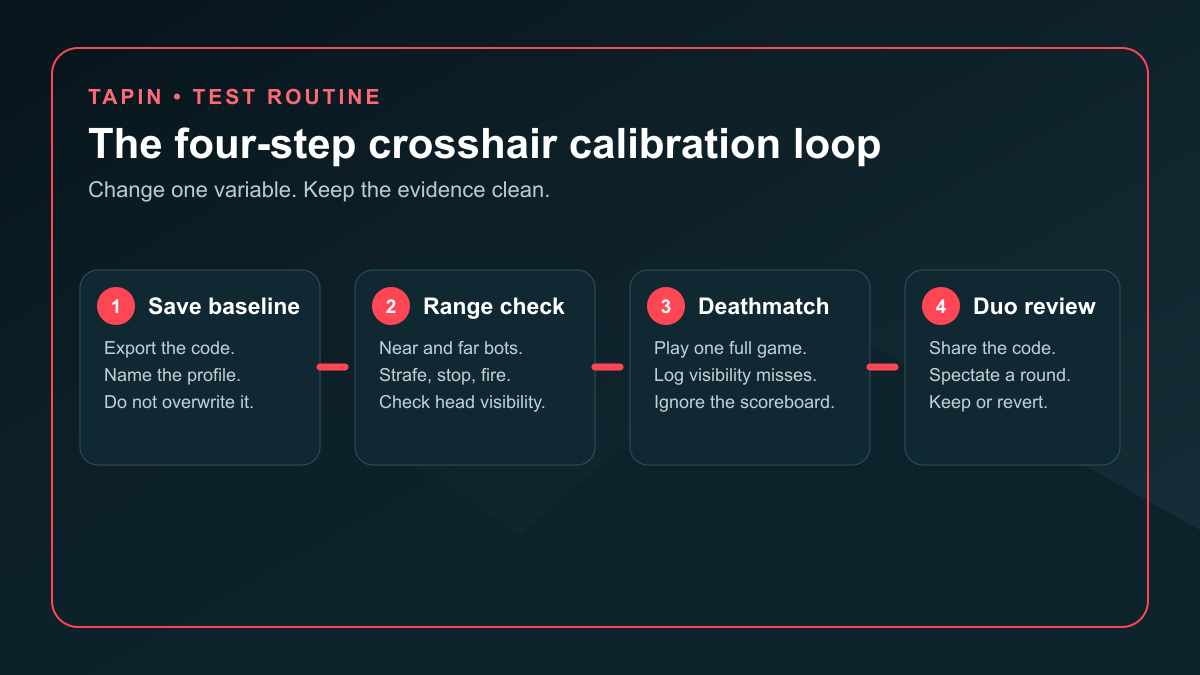
1. Save the baseline
Export the active code and name the profile. Run near and far targets in the Range without changing anything mid-session.
2. Change one variable
Pick color, outline, gap, length, thickness, center dot, or error feedback. One variable gives you a clean comparison.
3. Stress-test it
Play one full Deathmatch, then at least four real matches. Log only what you can observe: “lost cyan on bright wall,” “gap covered the head,” or “movement animation stole focus.”
4. Ask for a duo review
Have a teammate spectate a few fights. They should label the miss, not redesign the crosshair for you.
If you do not have someone patient enough to run that test, book a focused Valorant coaching session on Tapin. Ask for one settings review, one placement cue, and one drill—you want evidence you can use after the session, not a profile you copy blindly.
Our high-elo Valorant improvement habits help you separate crosshair placement, movement, review, and comms so one settings change does not get credit for everything.
Five Crosshair Mistakes That Waste Your Time
1. Copying a pro code and stopping there
Import it, save it, then test it. A famous player's profile can still vanish on your display or cover the targets you struggle to read.
2. Changing four settings together
You may improve the reticle and learn nothing. Change one variable so you can keep the fix and reject the noise.
3. Using a dot that hides distant heads
A center dot feels precise until it covers the exact detail you need. Test it on the farthest rifle angle you regularly take.
4. Blaming settings for placement or movement
If the crosshair stays visible but starts at chest height, keep the profile and fix placement. If the shot leaves the center because you fired while moving, fix the stop.
5. Rebuilding after one loss
One ugly ranked game is not evidence. Keep the candidate for four matches unless it creates an obvious visibility failure.
Valorant Crosshair Settings FAQ
What are the best Valorant crosshair settings in 2026?
Start with a high-contrast color, compact inner lines, outer lines off, a visible center gap, and movement and firing error off. Then test the setup on bright, dark, mixed, and utility-heavy backgrounds before changing one variable at a time.
Is a static or dynamic crosshair better in Valorant?
A static crosshair gives you a stable reference for placement. Dynamic error feedback can help you learn movement and firing timing, but switch it off if the animation distracts you from the target.
What is the best Valorant crosshair color?
The best color is the one that stays visible on your maps and does not blend with your enemy highlight color. Cyan is a practical baseline, but test a custom hex color and a light outline if your display or color vision needs something different.
How do I import a Valorant crosshair code?
Open Settings → Crosshair, select the down-arrow import icon beside Crosshair Profile, paste the code, import it, and give the profile a clear name. Export your current code first so rollback takes seconds.
How do I copy a teammate's crosshair?
While spectating the player, type /crosshair copy or /cc. Valorant saves the copied setup as a new crosshair profile.
Can a crosshair improve my aim?
A readable crosshair can remove visibility and target-coverage problems. It cannot replace head-level placement, clean movement stops, recoil control, or good fight selection.
Build It, Test It, Then Stop Touching It
Good Valorant crosshair settings stay visible, leave the target exposed, and stop asking for attention once the round starts. Save a baseline, change one variable, test it on real maps, and let four matches—not one whiff—make the decision.
Then queue with a consistent Valorant duo who can tell you whether the crosshair vanished or your pre-aim started somewhere it never should have been.